
WBCHSE HS Semester 3 Result 2026: Check Statement of Marks Online
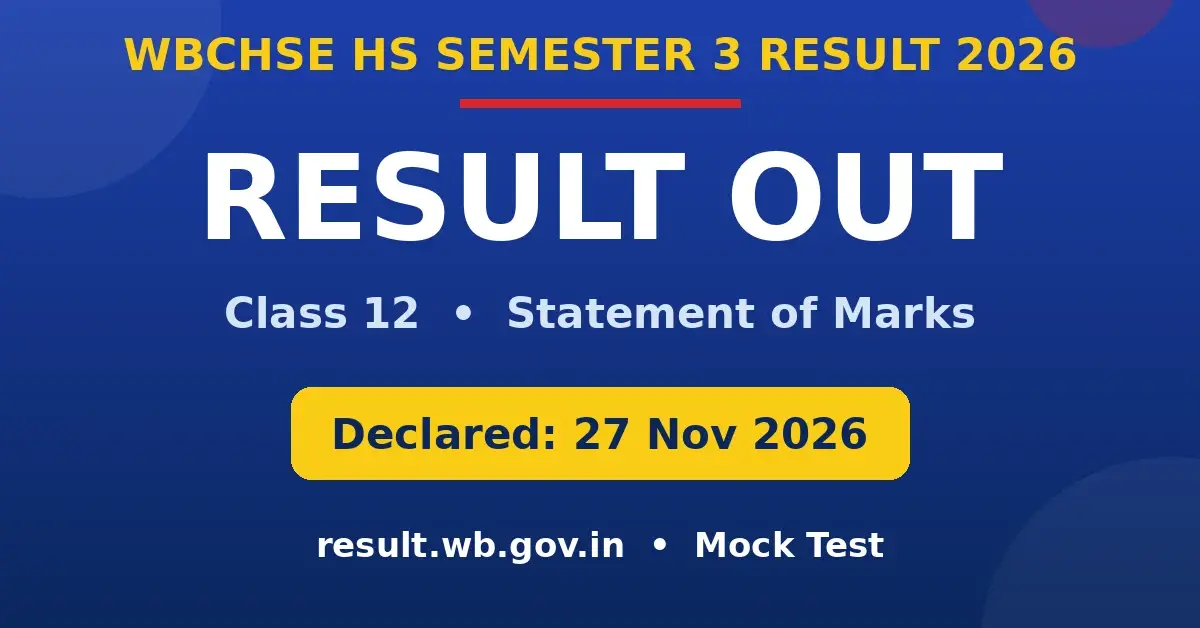
The WBCHSE HS Semester 3 Result 2026 is out. The West Bengal Council of Higher Secondary Education published the Semester III result of the Higher Secondary Examination 2027 on 27 November 2026, and students can check the Statement of Marks online at result.wb.gov.in with the roll number and registration number printed on the admit card.
Listen to this article in 1 minute:
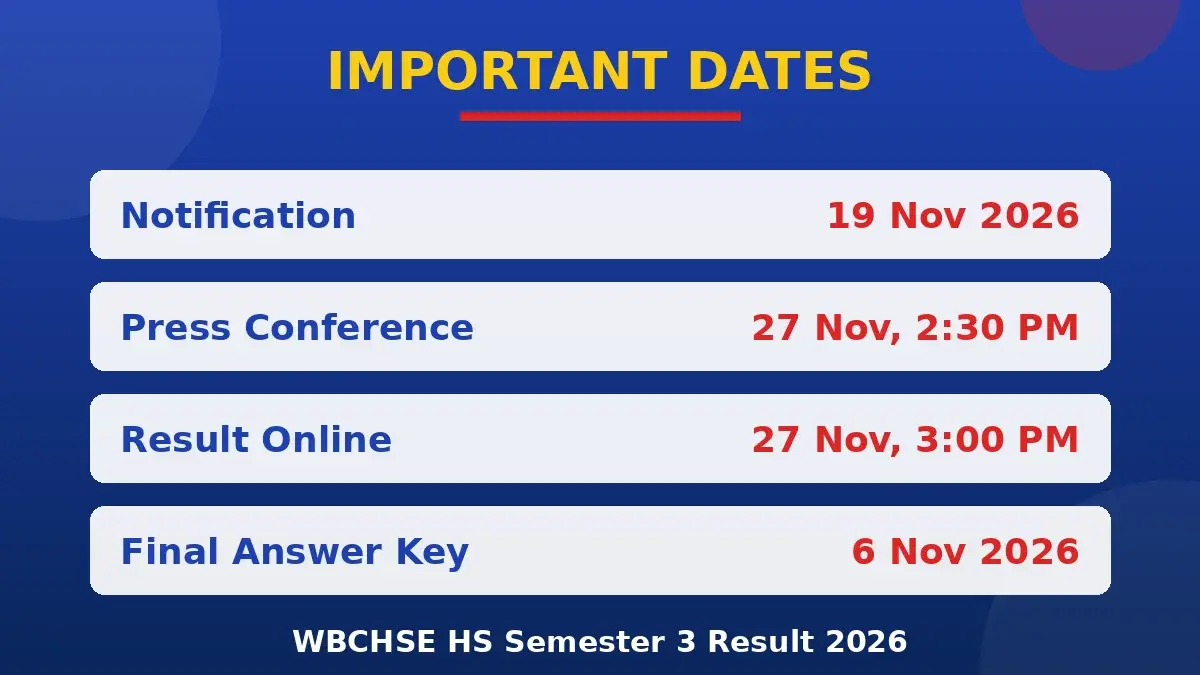
The result was published through a press conference at Vidyasagar Bhavan, Saltlake, Kolkata at 2:30 pm on 27 November 2026. The online result link opened for students from 3:00 pm on the same day. This page gives the full checking process in simple steps, the exact login details you need, the official websites, and the important note about the original marksheet, so that no student gets confused at the last step.
Key Facts
| Point | Detail |
|---|---|
| Board | West Bengal Council of Higher Secondary Education (WBCHSE) |
| Examination | Semester III of Higher Secondary Examination 2027 |
| Class | Class 12 (Higher Secondary) |
| Result name on portal | Statement of Marks of Semester III |
| Result date | 27 November 2026 |
| Press conference time | 2:30 pm, Vidyasagar Bhavan, Saltlake, Kolkata 700091 |
| Online result from | 3:00 pm, 27 November 2026 |
| Result website | result.wb.gov.in |
| Council website | wbchse.wb.gov.in |
| Login details | Roll number and registration number |
| Registration number | 10 digit number |
| Official notification | No. L/Secy/283/2026 dated 19 November 2026 |
| Original marksheet | Issued from the school |
What is the WBCHSE HS Semester 3 Result 2026?
The WBCHSE HS Semester 3 Result 2026 is the Class 12 Semester III result of the Higher Secondary Examination 2027. The West Bengal Council of Higher Secondary Education conducts the Higher Secondary course in West Bengal, and the Semester III examination is one part of that course for Class 12 students. When the Council publishes this result, each student gets a Statement of Marks for the Semester III papers.
The name of the result needs one small clarification, because many students search with the year 2026 while the portal page shows the year 2027. Both names point to the same result. The examination is called the Higher Secondary Examination 2027, and the result was declared in November 2026. The result portal page title reads WBCHSE Sem 3 Result 2027, and the heading on the page reads Statement of Marks of Semester III of Higher Secondary Examination 2027. So if you see 2027 on the official page, do not worry. You are on the correct page.
This result matters for every Class 12 student in the semester system in West Bengal. The Semester III marks show how the student has done in the first set of Class 12 papers. Students use this statement to check subject marks, to spot any mistake in personal details, and to plan study for the next semester with a clear head. Parents also check this result to understand where the student stands in each subject.
One more point is important from the start. The online result is a Statement of Marks for quick information. It is not the original marksheet. The Council has printed this note on the result portal itself. The official marksheet is issued from the school. Students should download the online statement for their own record, but for any official work they must use the marksheet given by the school. This single point saves a lot of confusion later, so keep it in mind through the whole checking process.
When was the WBCHSE Semester 3 result declared?
The WBCHSE Semester 3 result was declared on 27 November 2026. The Council published the result through a press conference at Vidyasagar Bhavan, Saltlake, Kolkata 700091 at 2:30 pm. Students could view and download the result online from 3:00 pm on the same day by entering the examination roll number and the registration number.
The Council had announced this plan in advance. The official notification No. L/Secy/283/2026 dated 19 November 2026 fixed the result publication through the press conference on 27 November 2026 at 2:30 pm and the online availability from 3:00 pm. The Council results page also carried the same information, that Semester III results would be available after 3:00 pm on 27 November 2026, with result.wb.gov.in listed first among the result websites. The result came on the announced date, so students who waited for the official time did not face any surprise change.
The gap of thirty minutes between the press conference and the online link is normal for board results. The Council first announces the result in the press conference, and then the portal opens for lakhs of students at the same time. If the page loads slowly in the first hour, that is a traffic issue, not a result issue. Wait for some time and try again on the same official website. Do not enter your roll number and registration number on any unknown website that promises a faster result. Your login details belong only on the official portal.
Students who check the result late also have nothing to fear. The online statement stays available on the portal after the result day. There is no last date to view the online result in the Council notification. Still, check the result soon and save a copy, because you will need the details when the school hands over the official marksheet. Early checking also gives time to report any mistake in name, roll number or subject entry through the school.
How to check the WBCHSE HS Semester 3 Result 2026 online?
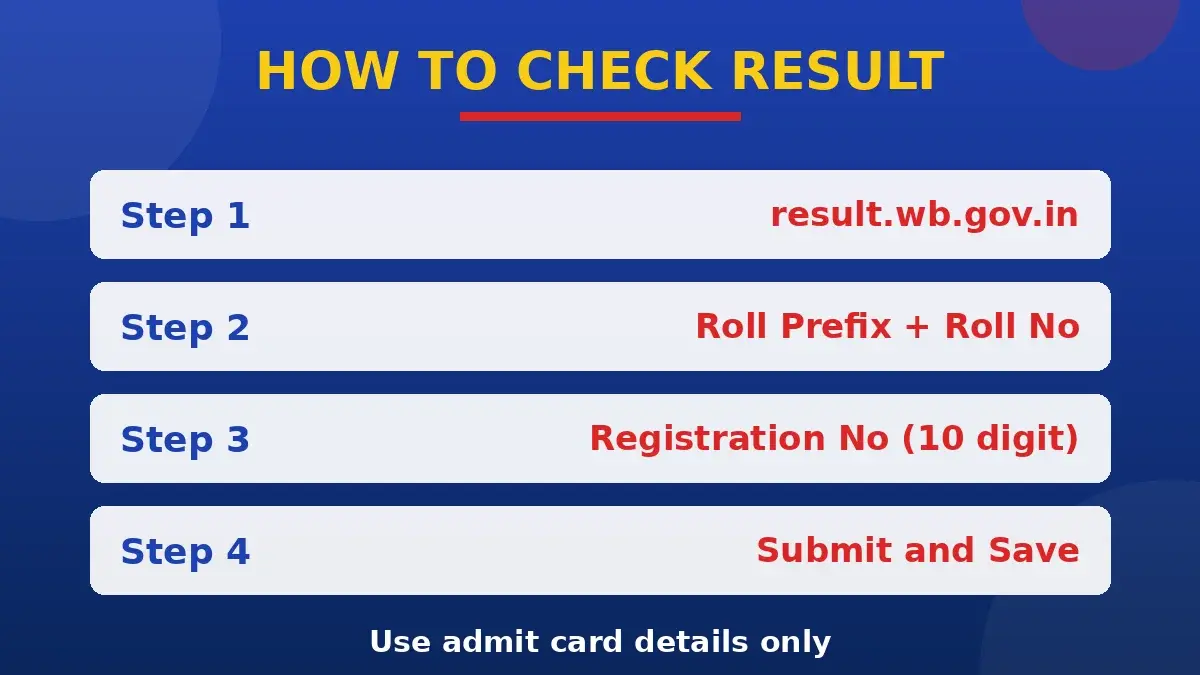
You can check the WBCHSE HS Semester 3 Result 2026 online at result.wb.gov.in. Open the portal, enter your roll number and registration number exactly as printed on your admit card, submit the form, and your Statement of Marks will appear on the screen. The steps below follow the official portal form, so follow them in order.
- Open the official result portal result.wb.gov.in in your browser.
- Wait for the Semester III result form to load. The page heading shows Statement of Marks of Semester III of Higher Secondary Examination 2027.
- Enter your roll number in the roll number box. The roll number has two parts, the Roll Prefix and the Roll No. Enter both parts with care.
- Enter your registration number in the registration box. The registration number is a 10 digit number.
- Check both numbers once against your admit card before you submit.
- Submit the form and wait for the Statement of Marks to open.
- Read the full statement slowly. Check your name, roll number, registration number and subject marks.
- Download or save the statement and keep a print copy for your record.
The Council homepage wbchse.wb.gov.in also links to the result portal. The homepage states that results of Semester III of Higher Secondary Examination 2027 are available on the listed websites and gives the Council Result Portal link to result.wb.gov.in. If you start from the Council homepage, use that link only. Many lookalike pages copy board names to collect student data. The safe route is simple. Type the official address yourself, or open it from the Council homepage.
Use a steady internet connection for the first attempt. If the form does not submit, do not press the button again and again in a hurry. Reload the page once, enter the details again, and submit. If the page shows an error for the roll number or registration number, the most common reason is a typing mistake. Compare each digit with the admit card. The roll prefix is part of the roll number, and leaving it out can block the result. The registration number must have all 10 digits. One missing digit will stop the form.
After the statement opens, save it before you close the tab. Take a print copy if a printer is near you. If no printer is available, save the file or take a clear screenshot and also note the marks in your notebook. The online statement is for immediate information, but your saved copy helps you cross check the school marksheet when it arrives. Keep the admit card safe as well, because the roll number and registration number on the admit card remain your login proof for this result.
What login details are needed for the WBCHSE Semester 3 result?
You need two login details for the WBCHSE Semester 3 result, the roll number and the registration number. Both details must be entered as mentioned on the admit card. The roll number consists of two parts, the Roll Prefix and the Roll No. The registration number is a 10 digit number.
The admit card is the safest source for both numbers. Do not copy the numbers from memory, from a friend, or from an old notebook page. Memory slips are common under result day stress, and one wrong digit gives an error page that looks like a server problem. Open the admit card, read the roll prefix and roll number aloud, type them, and then read the typed value back against the card. Do the same slow check for the 10 digit registration number.
Students sometimes mix the roll number with the registration number. The two numbers serve different purposes. The roll number identifies the examination seat record for the Semester III examination. The registration number identifies the student registration record with the Council. The portal asks for both so that the correct statement opens for the correct student. If you swap the two boxes, the form will not open your result.
Keep these details private. The roll number and registration number together open your result statement. Share them only with your parents or guardians and with your school when the school asks for them. Do not post a photo of your admit card on social media. Do not send the numbers to any person who claims to check results for a fee. Checking the result on the official portal is free and takes less than a minute when the numbers are correct.
If you have lost the admit card, contact your school first. The school keeps student examination records and can guide you to the correct roll number and registration number from its records. The Council notification also gives institutions a route to see and download the Class XII Semester III Result of their students with the result synopsis through the institution portal. That route is for institutions with login credentials, not for students, but it means your school can help you verify your details. Do not guess numbers from a class list. A guessed number can open another record or fail again and again.
What does the Statement of Marks show?
The Statement of Marks shows your Semester III result record for the Higher Secondary Examination 2027. It is the online statement of your Semester III marks under your roll number and registration number. Read every line of the statement with care, because this is the record you will compare with the school marksheet later.
Start with the identity lines. Confirm that the name, roll number and registration number on the statement match your admit card. A spelling difference in the name or a wrong digit in a number must be reported to the school at once. Small errors look harmless on result day, but they create trouble when the marksheet is used for admission or any official form. The school is the correct place to report such an error, because the official marksheet comes through the school.
Then read the subject marks one by one. Note the marks for each subject in a notebook or on the print copy. Look for any subject that looks missing or any mark that looks impossible against your answer paper experience. Do not panic over a low mark in one subject. First confirm that the statement is yours and that every subject entry is present. A calm reading catches real problems. A hurried reading creates false alarms.
The portal carries a clear disclaimer with the result. The results published on the internet are for immediate information to the examinees. These cannot be treated as original mark sheets. The official marksheet will be issued from the school. This disclaimer is not fine print to ignore. It tells you the legal status of the page in front of you. Use the online statement to know your marks today. Use the school marksheet for every official purpose tomorrow.
Institutions also receive the result in an organised form. The Council notification says institutions may see and download the Class XII Semester III Result of their students along with the result synopsis through the institution portal with login credentials. The head of the institution is requested to hand over the Class XII Semester III Result to students by putting seal and signature on it. So the school copy carries the school seal and signature. When you collect your result from the school, check the seal and signature before you leave the school office.
Is the online result the original marksheet?
No, the online result is not the original marksheet. The result portal states this in clear words. The online result is for immediate information only, and the official marksheet is issued from the school. Treat the online statement as a fast preview of your marks, not as the final document.
This distinction matters in daily student life. For admission forms, scholarship forms and other official work, offices ask for the marksheet issued through the school. An internet printout without the school seal and signature may not be accepted. The Council notification asks the head of the institution to hand over the Class XII Semester III Result to students with seal and signature. That sealed school copy is the document to keep in your file.
Keep both copies safe. Keep the online statement print for quick reference at home. Keep the school marksheet in a clean file with your admit card and registration documents. Do not fold the marksheet, do not write on it, and do not laminate it unless the school advises it. If the school marksheet and the online statement show different marks, inform the school at once and keep both copies with you for the correction process.
Students should also note what the online statement cannot do. It cannot replace the school record, and it cannot correct a wrong entry by itself. Any correction in name, roll number, registration number or subject entry must go through the school and the Council process. Do not edit the downloaded statement on a phone or computer to fix a mistake. An edited copy has no value and can create serious trouble. Report the mistake, keep proof, and let the school guide the correction.
What should students do after checking the result?
After checking the result, save the Statement of Marks, verify every detail, and then collect the official marksheet from the school when the school gives it. Note your subject marks, identify weak subjects, and start a calm study plan for the next semester. A result is information. Use it to plan, not to panic.
First, complete the record work. Save the online statement, take a print copy, and write the marks in a notebook subject by subject. Compare the identity details with the admit card. If any detail is wrong, inform the school on the next working day with the admit card and the statement copy. Early reporting keeps correction simple.
Second, read the marks with honest eyes. A strong subject needs steady revision so that the strength stays. A weak subject needs a topic list. Write the chapters where you lost marks, and start with the chapter that carries the most weight in your class notes and textbook. Small daily study beats a worried all night session. The next semester rewards students who fix gaps early, while the Semester III experience is still fresh.
Third, talk to your teachers. Show the statement to the subject teacher and ask where answers lost marks. Teachers can point out presentation faults, missing steps and weak topics that a mark alone cannot explain. This one conversation can save weeks of blind study. Parents can also join this discussion so that home study time gets proper support.
Fourth, use practice tests in a planned way. Short topic tests help you check whether a weak chapter is improving. Full paper practice helps you build speed and time control. After each practice test, mark the errors and revise those topics the same day. Practice without review gives only comfort. Practice with review gives marks. Students who want structured practice can use free mock test practice and then review every wrong answer with the textbook open.
Finally, keep perspective. One semester result does not decide your full future. It shows the current level of preparation in Class 12 subjects. Students who treat the result as a report card for action improve in the next semester. Students who only celebrate or only worry lose the useful part of the result. Note the facts, fix the weak topics, and move forward with a timetable you can follow every day.
What if the result page does not open?
If the result page does not open, wait for some time and try again on result.wb.gov.in. Result day traffic is heavy in the first hours after 3:00 pm. A slow page or a failed submit usually means load pressure or a typing mistake, not a missing result. Recheck the roll prefix, roll number and 10 digit registration number against the admit card, then submit once more.
Try simple fixes in order. Reload the page. Check your internet connection. Open the portal from the Council homepage link at wbchse.wb.gov.in if the direct address fails. Type the numbers slowly instead of pasting them from a message, because pasted text can carry a hidden space. If the error names the roll number or registration number, the problem is almost always a wrong digit or a missing roll prefix.
Do not move to unknown result websites when the official portal is slow. Search results on result day include many pages that copy board names. Entering your roll number and registration number on a fake page gives your details to strangers and still does not give a valid result. The official routes are only two. The result portal is result.wb.gov.in, and the Council website is wbchse.wb.gov.in. Stay on these two addresses.
If the problem continues on the next day, contact your school. The school can confirm your roll number and registration number from its records. Institutions also have a portal route to download student results with the synopsis, so the school office can verify whether your record is present. Carry your admit card when you visit the school. A clear admit card copy makes the school work faster.
One more case needs care. If the statement opens but shows another student name, stop at once. You have likely typed a wrong roll number or registration number. Close the page, recheck the admit card, and enter your own details. Do not download or share another student statement. If your correct details still open a wrong record, report the matter to the school with your admit card. Such cases are rare, but the school route is the correct route for correction.
What is the answer key update for Semester III?
The Council notices page lists the Final Answer Key for Semester III of the HS Examination 2027 dated 6 November 2026. The same notices page also lists a corrigendum of the answer key of Semester III HS Examination 2027 dated 18 November 2026. Students who want to review the answer key should open the Council notices page at wbchse.wb.gov.in and read the final answer key with the corrigendum.
The answer key helps students understand marking after the result. Compare your answers with the final answer key subject by subject. Note the questions where your answer differed. Then check whether the difference came from a concept gap, a careless reading fault, or a presentation fault. This review turns the result into a study plan for the next semester.
Use the final answer key, not an early draft or a coaching copy. The corrigendum dated 18 November 2026 corrects the answer key record, so the final position comes from the final answer key read with the corrigendum. If a social media post shows different answers, trust the Council notices page. Official documents decide marks, not forwarded messages.
The answer key review has one limit. It explains expected answers, but it does not change your statement by itself. If you believe a mark is wrong even after the answer key review, discuss the matter with your school and follow the Council process through the school. Do not write to random email addresses or pay any person who promises mark changes. The school and Council route is the only safe route.
How to prepare for the next semester after this result?
Prepare for the next semester by fixing weak topics first, then building speed with practice tests. Your Semester III statement gives the subject marks. Your answer key review gives the topic gaps. Put both together and make a weekly study plan that gives extra time to weak chapters while keeping strong subjects in regular revision.
Start with a topic list for each subject. Write the chapters in three groups. Group one has chapters you know well. Group two has chapters you know in part. Group three has chapters you find hard. Give group three the first study slots of the week, because hard chapters need fresh energy. Keep group one in short revision slots so that strong topics stay strong.
Study in short focused blocks. Read the textbook section, close the book, and write the main points from memory. Then solve questions from the chapter. Writing from memory shows the real level of learning. Reading alone gives a false sense of safety. After each block, note the errors in a small error notebook. Revise the error notebook every Sunday. This habit alone lifts marks in the next semester.
Use mock tests with discipline. Take a topic test after finishing a chapter. Take a full paper test once in a while under time limits. After every test, spend equal time on review. Mark each wrong answer with a reason, concept gap, formula slip, reading fault or time pressure. The reason decides the fix. Concept gaps need textbook study. Reading faults need slow question reading. Time pressure needs timed practice.
Keep the body and mind steady. Sleep well, eat on time, and take short breaks between study blocks. A tired mind makes careless errors that look like knowledge gaps. Parents can support this routine by keeping result talk calm and study talk practical. The goal is steady improvement, not daily pressure.
Students preparing for competitive examinations along with Class 12 should keep both tracks in balance. Board concepts support competitive examination preparation in subjects like mathematics, physics, chemistry and biology. A strong board base makes competitive study lighter. Use board study as the foundation and add competitive practice in fixed slots, not at the cost of school work.
Common mistakes to avoid on result day
The most common result day mistake is entering wrong login details in a hurry. Avoid it by reading the roll prefix, roll number and 10 digit registration number from the admit card and checking the typed values before submission. Slow typing saves more time than fast typing with three failed attempts.
The second mistake is trusting unknown websites. Result day search results include copied pages and fake links. Enter your details only on result.wb.gov.in, or open the portal from the Council homepage wbchse.wb.gov.in. If a page asks for money to show the result, close it at once. The official result check is free.
The third mistake is treating the online statement as the original marksheet. The portal disclaimer says the online result cannot be treated as the original marksheet, and the official marksheet is issued from the school. Collect the sealed school copy and keep it in your document file. Use the online print only as a home reference copy.
The fourth mistake is ignoring a detail error. A wrong spelling in the name or a wrong digit in a number looks small on result day. The same error blocks admission and official forms later. Report every mismatch to the school early with the admit card and statement copy. Early reporting keeps the correction path short.
The fifth mistake is sharing login details in public. Do not post admit card photos, roll numbers or registration numbers on social media. Do not send them to strangers who offer result help. Share details only with parents, guardians and your school. Your result record is personal, and privacy protects you from misuse.
The sixth mistake is stopping study after the result. Celebration is fine for a day. Worry is natural for a day. After that, the useful step is action. Note weak topics, meet teachers, start the error notebook, and begin next semester study while the Semester III lessons are fresh. Students who act in the first week gain a clear lead.
Official websites for the WBCHSE Semester 3 result
Use only the official websites for the WBCHSE Semester 3 result. The result portal is result.wb.gov.in. The Council website is wbchse.wb.gov.in. The Council results page and notices page on the Council website carry the result information and the answer key notices. The table below lists the official routes in one place.
| Need | Official route |
|---|---|
| Check result | result.wb.gov.in |
| Council homepage | wbchse.wb.gov.in |
| Council results page | wbchse.wb.gov.in student results section |
| Council notices and answer key | wbchse.wb.gov.in notices section |
| Result publication notification | Notification No. L/Secy/283/2026 dated 19 November 2026 |
| Institution result download | Institution portal with login credentials, for institutions only |
| Original marksheet | Issued from the school |
Bookmark the result portal and the Council homepage. If a link from a message or social media post does not match these addresses, do not use it. Type the official address yourself. This one habit protects your login details and gives you the correct statement every time.
Students should also keep the admit card safe after the result. The roll number and registration number on the admit card remain the login proof for the online statement. Keep the admit card, the online statement print and the school marksheet together in one file. A complete file saves time during admission and any later verification.
Latest updates for students
Students who follow examination updates can also read the latest live updates on this website. The HP TET Admit Card 2026 update covers the Himachal Pradesh TET examination held on 29 November 2026. The BPSC AEDO Recruitment 2026 update covers 935 posts with online application from 1 December 2026. The BPSC Agriculture Recruitment 2026 update covers 147 posts with application from 15 December 2026. These updates help students and job aspirants track important dates in one place.
Sources
- West Bengal Council of Higher Secondary Education, result portal result.wb.gov.in, Statement of Marks of Semester III of Higher Secondary Examination 2027.
- West Bengal Council of Higher Secondary Education, Council website wbchse.wb.gov.in, homepage result links and student results page.
- West Bengal Council of Higher Secondary Education, Notification Regarding Result Publication of Semester III HS Examination 2027, No. L/Secy/283/2026 dated 19 November 2026.
- West Bengal Council of Higher Secondary Education, notices page listing Final Answer Key for Semester III dated 6 November 2026 and corrigendum dated 18 November 2026.